
Client Onboarding
AI Employee
$25 free credit. No credit card required.
Give Avenue a job in plain words. It sends the forms, chases the documents, checks what comes back, moves the deal and reports to you. It keeps going for as long as the job takes.
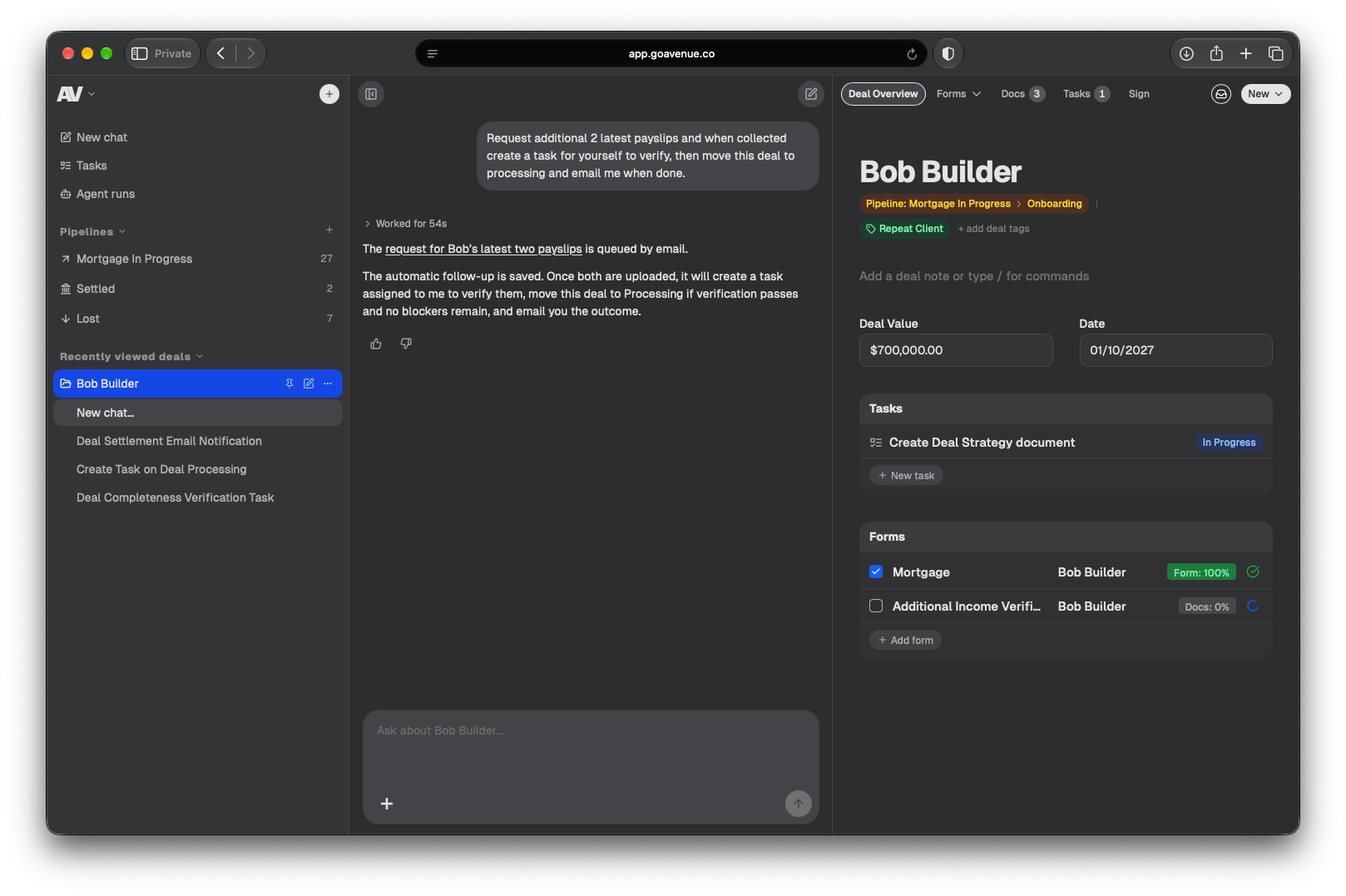
Tell it what you want done.
Avenue is a client onboarding employee that never clocks off. Brief it in a sentence or two and it sends the forms, collects and checks the documents, chases what's missing and moves each client through your pipeline.
"Alex wants to refinance. Can you get him onboarded and send over our welcome form so we can get started?"
"Send the Wongs our engagement letter. Once they've signed, open their 2026 tax return and send them our checklist so they know what to bring."
"Sam Patel wants us to look at his lease. Open a new matter, send him our intake form and ask for two forms of ID."
"Can you get Alex's last two payslips and bank statements? If they're not in by Thursday, give him a nudge, and once they arrive check the income matches his application."
"A few clients still haven't sent their health insurance statements. Can you remind them each week until they do, up to the end of October?"
"The Clarkes have signed the costs agreement. Move their matter to Active and give Emma a task to start on the contract review."
"The Nguyens have signed the credit guide, so move them to Gathering documents and ask for their ID and payslips."
"We've got a new business client, Riverside Café. Send them the new client form and get ID from both directors before we start on the books."
"The buyers still need to send the signed contract, the deposit receipt and the building report. Chase them up, and move the purchase to Pre-settlement once everything's in."
"Three new enquiries came in this morning. Set them up and get them to the documents stage, but check with me before you email anyone."
"Two weeks before BAS is due, ask our bookkeeping clients for their receipts and move them to Collecting so I can see who's still outstanding."
"Margaret Green still owes us a few things on the wills checklist. Follow up every week until she's sent everything, and let me know what's still missing."
"Every Monday morning, look at which deals haven't moved in a week, work out what's holding them up and send me a short list."
"The Taylors have uploaded their documents. Fill in as much of their company tax worksheet as you can, then ask them only for what's missing."
"We're waiting on the other side's signed contract for the Morgan matter. Hold off until it's uploaded, then pick up where you left off."
Like any employee, it has its own email.
Email it the way you would a colleague: forward a client thread, attach the files and say what you need. It files the documents on the right deal, replies when the job is done and acts on any follow-up instructions you send in the same thread.
Or message it from anywhere.
Text & Voice
ChatGPT
Claude
Grok
Slack, Telegram and WhatsApp



Create an Agent Operating Playbook for any scenario. Your agent works on it until it's done.
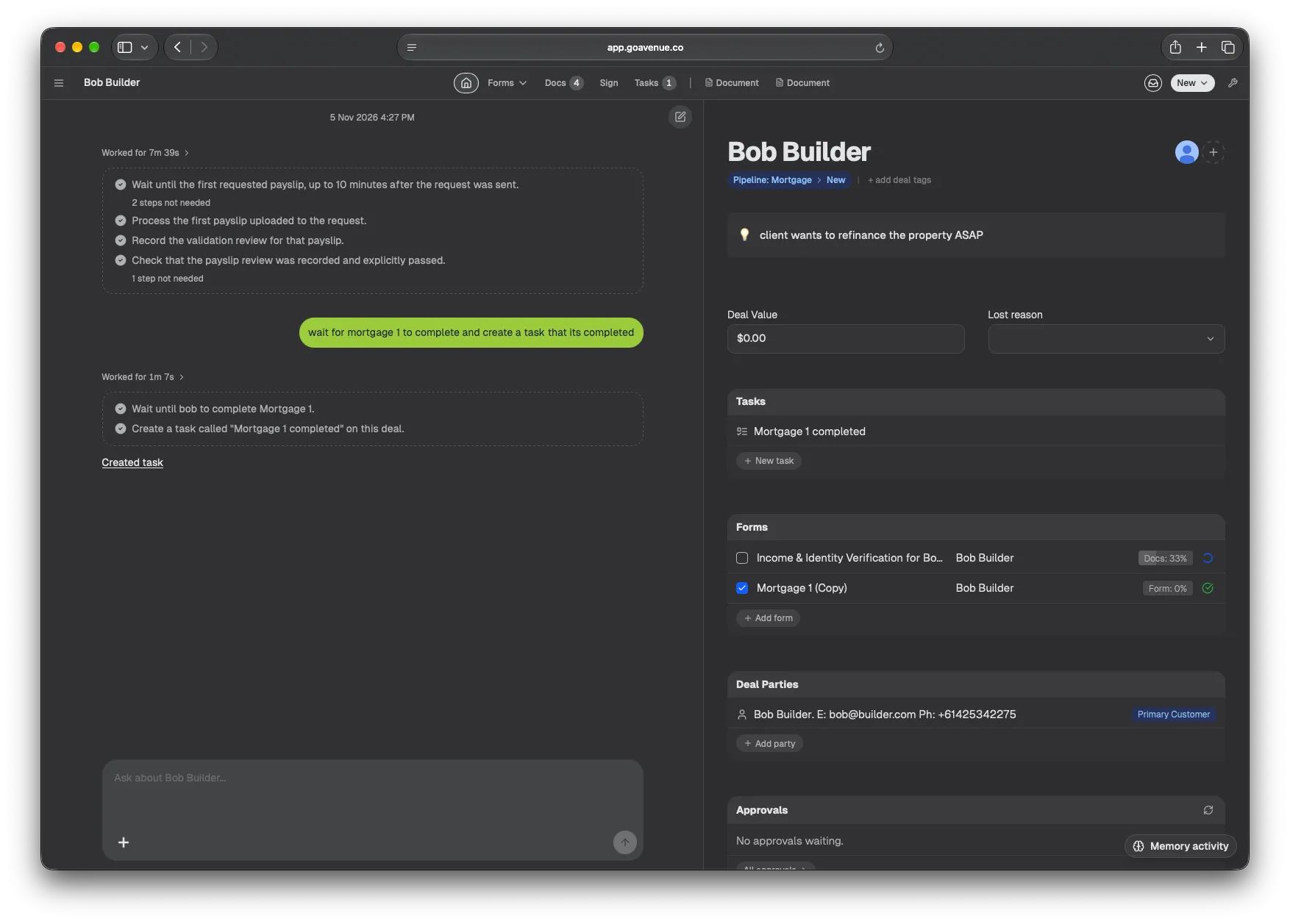
Write it
Explain the job the way you would to a new starter, or upload your existing procedure and the agent turns it into a playbook.
Check it
The agent reviews it against your setup, suggests how to make it better and fixes any gaps or contradictions for you.
Run it
Start it with a message from any channel, or let it start on its own from a supported trigger, such as a deal entering a stage.
No two deals are the same.
Sometimes a client goes on holiday, a file needs an extra check or the deal falls through. Email, call or message your agent to change the flow at any point: pause it, add or skip a step, or stop it altogether. It updates the job and carries on from there.
"Pause the Wongs' tax return until they're back from holiday."
"Skip the reminder for the Clarkes. They called this morning."
"Add a credit check before you move Alex to review."
"Send Riverside Café the business checklist instead."
"Give the Taylors another week for their documents."
"Stop chasing Margaret. I'll take it from here."
It hands work to your team, or does it itself.
Your agent creates tasks and assigns them to the right person, or takes them on and does the work. It can also set tasks up for a later date or repeat them on a schedule.
For your team
- "Give Emma a task to review the Clarkes' contract by Friday."
- "Ask Mia to call Alex about his valuation."
- "Have Sam check the Taylors' tax return before it goes out."
For the agent
- "Check the Wongs' documents against our tax checklist."
- "Fill in the Nguyens' application from their payslips."
- "Write up a summary of the Morgan matter for the file."
For later
- "On 1 July, remind every tax client to book their appointment."
- "Two days before settlement, check the Lees' file is complete."
- "Next Tuesday, follow up the buyers about the building report."
On repeat
- "Every Monday, list the deals that haven't moved in a week."
- "On the 1st of each month, ask bookkeeping clients for receipts."
- "Every Friday, send me what's due next week."
It remembers how you work, and learns from every job.
Your agent keeps your rules and client details between jobs and learns from the work your team checks.
Your rules
Tell it once that Priya checks all advice, and it adds her review to every plan from then on.
Each client
Goals, deadlines and past decisions stay with the client, so you don't have to brief it twice.
What works
It spots the steps your team repeats, tests them on other deals and only uses the ones that pass.
Your corrections
Rate an answer or fix a saved rule and it uses the correction next time. You can see and edit everything it keeps.
Questions.
What is Avenue?
Avenue is an AI agent with its own CRM workspace for client onboarding and deal work. You give it a job in plain words and it collects client details, requests and checks documents, updates records, moves deals through your pipeline, creates tasks and emails you the result.
How long can a job run?
As long as it needs to. A job can wait days for a client to upload documents, pause for your approval, or run on a schedule for weeks. The agent saves its progress after each step and resumes when the next thing it needs arrives.
Where do I talk to the agent?
Anywhere your team already works. Your agent has its own email address, and you can message it from the Avenue dashboard, ChatGPT, Claude, Grok, Slack, Telegram or WhatsApp, or from Claude Code and Codex through MCP. Every channel reaches the same agent, with the same records and the same permissions.
What can I see while a job runs?
Every step, in order, with the time it ran and what it produced. You can answer the agent's questions, approve or decline outreach, change the plan or stop the job from the dashboard.
Will it contact my clients without asking?
Not unless you've set that up. By default, client messages wait for your approval. You can allow specific kinds of outreach, such as document reminders, to go out on their own.
Does it remember how I work?
Yes. It keeps your instructions and client details between jobs, and learns from work you've checked. You can see what it saved and correct it. Memory never widens what the agent is allowed to do.
Can it run on a schedule?
Yes. Ask for a one-off time, or a daily, weekly or monthly schedule with an end date. Typical jobs: a Monday pipeline check, or chasing documents until they arrive.
How do I get started?
Fill in the welcome form and send us your existing forms, checklists and instructions. We'll set Avenue up around your process. You start with $25 of credit, and no credit card is needed.
Give your agent its first job.
Give your agent your forms, workflows, checklists or any other instructions, and it sets up the whole workflow for you.
$25 free credit. No credit card required.